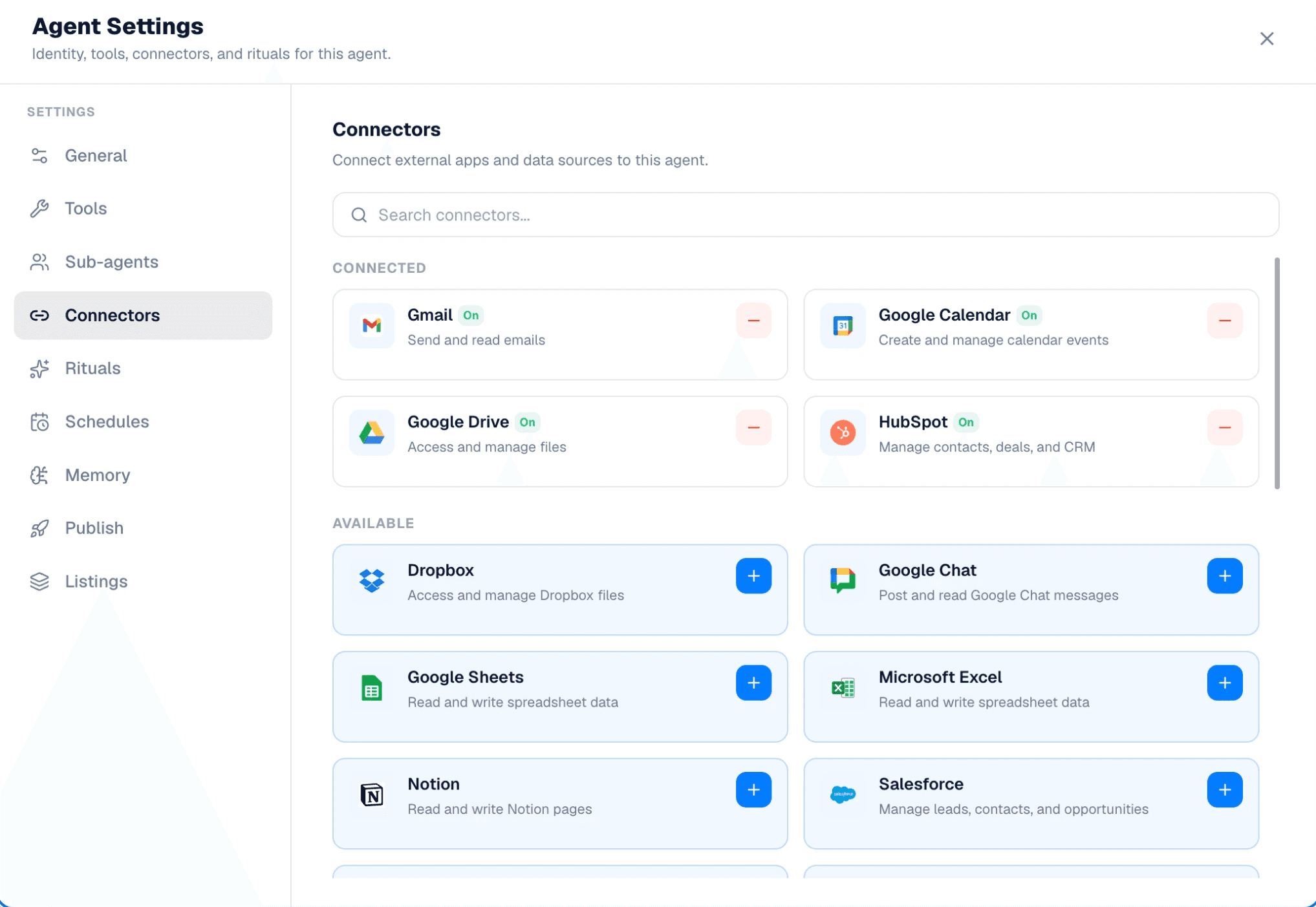
You’ve probably seen agents ask you to connect Gmail, Google Calendar, Slack, or another app before they can do their job.
That’s where connectors come in. A connector is what allows an agent to access the tools you already use. It’s the bridge between the agent and your real work.
Without connectors, an agent can still chat with you, answer questions, and make suggestions. But it can’t see your emails, check your calendar, update your CRM, or do anything inside the platforms where your work actually lives.
Connect a tool, and the agent can start taking action.
What About APIs?
You may hear the terms "connector" and "API" used together. An API is the access point a service provides. Gmail, Slack, Salesforce, and thousands of other apps have APIs that allow outside software to interact with them. A connector is what uses that API on your behalf.
Think of the API as a door. The connector is the key that lets your agent through it, with your permission.
When you connect Gmail, you're not building anything new. You're simply allowing the agent to use Gmail's existing API to access the information and actions you've approved.
So What's Actually Happening with Connectors?
Think about what it would take for an agent to schedule a meeting for you.
First, it needs access to your calendar. Once you connect it, the agent can see your availability, create events, update invites, and help manage your schedule.
The same idea applies everywhere else:
Connect Gmail, and an agent can read or draft emails.
Connect Google Drive, and it can find documents.
Connect Slack, and it can send messages.
Connect a CRM, and it can update customer records.
The connector grants the agent permission to operate within that system.
The Connectors You Start With
Most agents come with connectors already suggested by the person who built them.
For example, an Executive Meeting Prep agent might recommend:
Calendar
Email
Drive
CRM
These aren't permanent. They're simply the tools the builder expected the agent to need.
You can keep them, remove them, or replace them with alternatives.
Maybe the builder used Gmail, but your company runs on Outlook. No problem. Swap Gmail for Outlook, and the agent can still do its job.
In most cases, the agent cares about the type of tool, not the brand behind it.
If You're Building an Agent
When building your own agent, think about what information it needs and what actions it should take.
Ask yourself: What systems does this agent need access to in order to do its job?
An Executive Meeting Prep agent likely needs access to email and calendar.
A Competitive Intelligence agent may only need web search.
A Salary Negotiator might need access to resumes, job descriptions, and market research.
Only add the connectors your agent truly needs. The simpler the setup, the easier it is for others to adopt.
TL;DR
A connector gives your agent access to the tools you already use.
Without connectors, an agent can talk about your work.
With connectors, it can actually do it.