An agent is useful when you talk to it. A ritual makes it useful when you don't. A ritual is simply a schedule that tells your agent when to run on its own.
Instead of opening the agent and asking it to do something every time, you set the schedule once and let it handle the work automatically.
What is a Ritual?
A ritual tells an agent when to run.
Think of it as a recurring instruction:
Every morning at 8 AM, send me a news briefing.
Every Friday, generate a status report.
Every time a new lead comes in, update the CRM.
Every hour, check competitors for changes.
You set the schedule once. The agent handles the rest.
Rituals are what transform an agent from a chatbot into an automated system.
Why Use Rituals?
Without rituals, you have to remember to ask. With rituals, the work happens automatically.
Your agent can monitor, research, organize, report, and take action on a schedule you've defined, even when you're not thinking about it. That's what makes an agent feel less like a chatbot and more like a teammate.
Setting Up a Ritual
There are two ways to set up a ritual.
The fastest way is to just tell your agent. In chat, type something like "set up a ritual to send me a daily news briefing every morning at 8am." The agent will confirm the details and schedule it.
If you'd rather set it up manually, open your agent's settings and go to the Rituals tab. Define what you want the agent to do and when.
For example:
Task: Send me a daily news briefing
Schedule: Every day at 8:00 AM
Save it once, and the agent will keep doing that job until you change or remove the ritual.
You can always edit it, run it manually, pause it, or delete it.
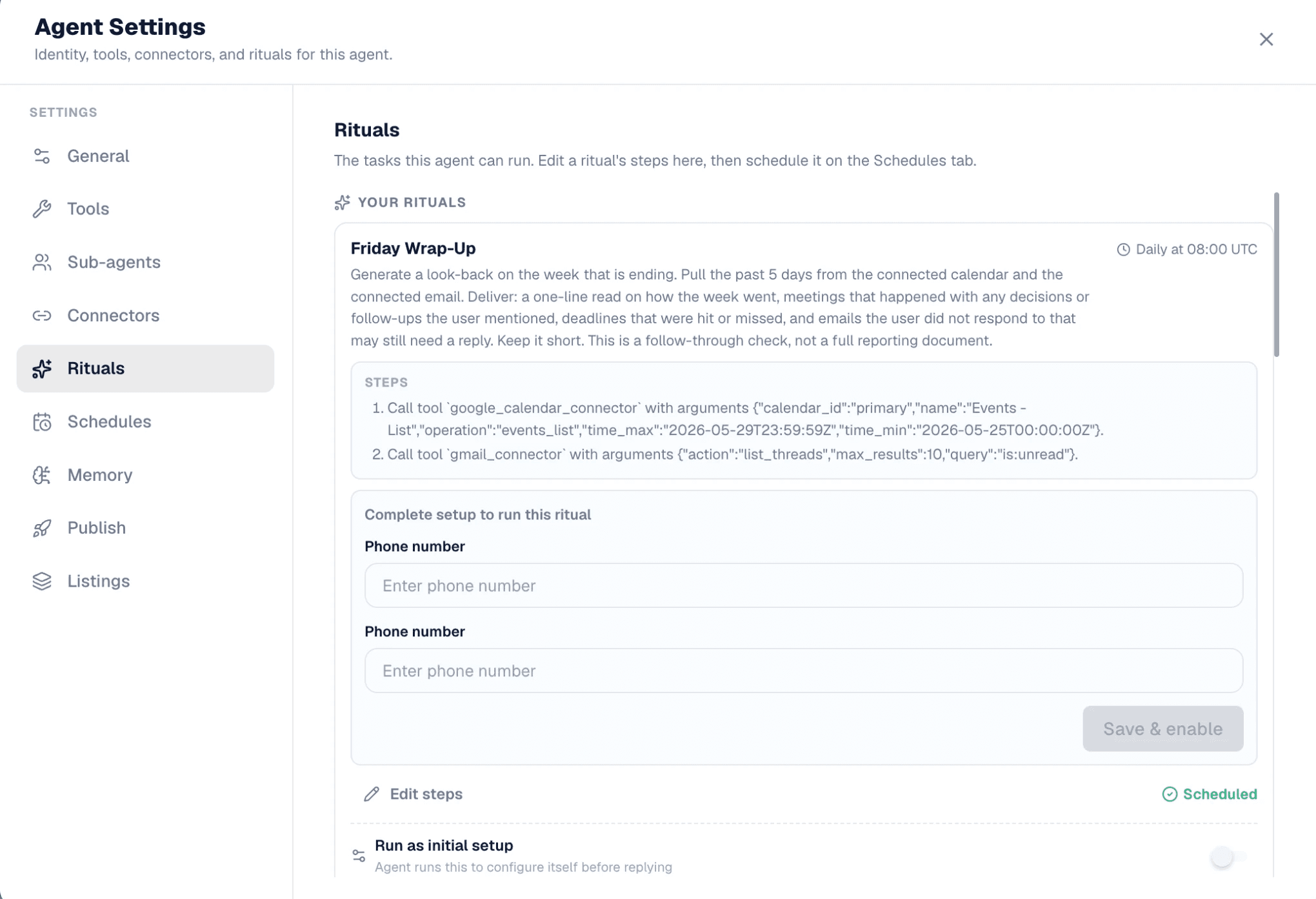
You can find your agent's rituals under Schedules, where you can create, edit, pause, or remove them at any time.

TL;DR
A ritual is a schedule for your agent.
Tell it what to do, tell it when to do it, and let it handle the rest.