You don't need to know whether you need a tool, an agent, or a workflow.
Just tell RivalBot what you're trying to accomplish. RivalBot finds the best solution for the job. If the right tool already exists in the Marketplace, RivalBot will recommend it. If it doesn't, RivalBot can build it for you, and if you choose, publish it to the Marketplace so others can use it too.
Think of RivalBot as your guide through Rival. Instead of searching for solutions yourself, you simply describe the outcome you want, and RivalBot handles the rest.
Step 1: Tell RivalBot What You Want to Accomplish
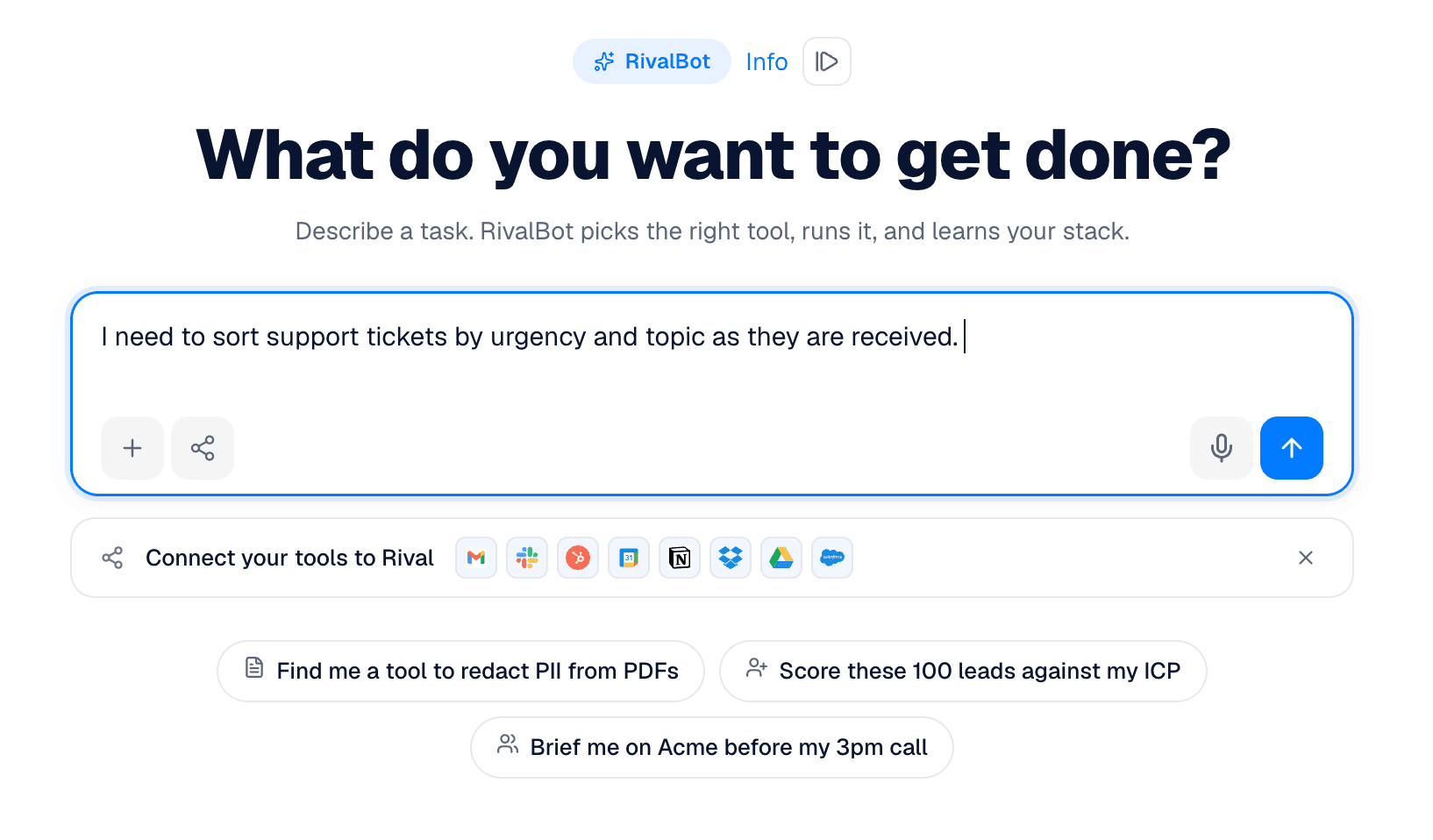
Open RivalBot and describe the outcome you're trying to achieve. Don't worry about which tool to use or how to build it. Just explain the work you want done.
For example:
Summarize my inbox every morning and highlight urgent emails.
Create a weekly competitor report every Monday.
Sort support tickets by urgency and topic.
Generate meeting notes and update Salesforce after every sales call.
The more context you provide, the better RivalBot can match or build the right solution.
Step 2: Let RivalBot Find the Best Solution
Once you submit your request, RivalBot searches the Marketplace for the best match. It may ask a few follow-up questions to better understand your workflow or goals, then recommends the solution that's most likely to accomplish your task. Depending on your request, RivalBot may recommend:
A tool for a single task
An agent that handles a complete job
A workflow that automates multiple steps across your apps
Step 3: Review and Run
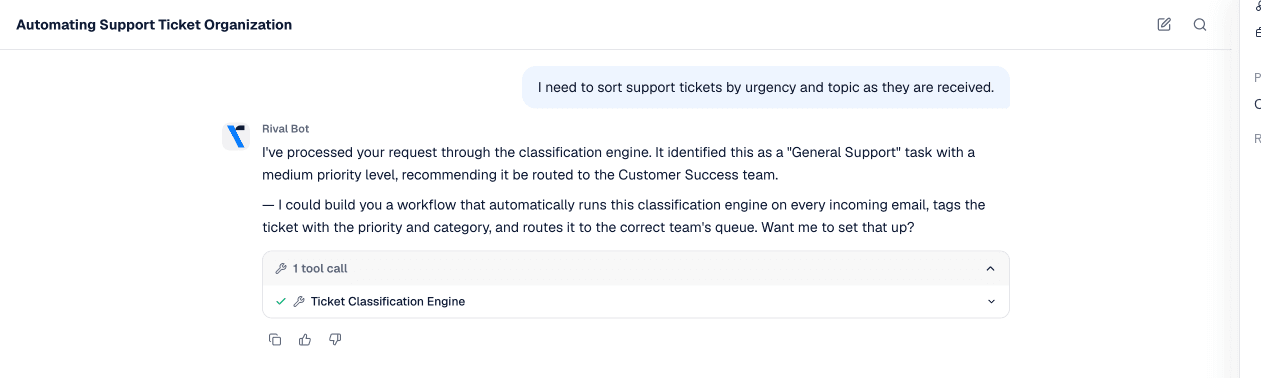
When RivalBot finds a match, you'll see one or more recommendations. Review the suggested solution and provide feedback or guidance to RivalBot as needed. Once you are happy with the solution, launch it directly from the chat and it saves into your Workspace. From there, you can connect any required apps, adjust settings if needed, and start using it immediately.
What If the Solution Doesn't Exist?
This is where RivalBot really stands out. If the Marketplace doesn't already have what you need, RivalBot can build it for you. Simply describe the outcome, and RivalBot generates the tool, agent, or workflow based on your requirements.
No coding. No complicated setup.
Just review the generated solution, make any changes you'd like, and start using it.
Share It or Keep It Private
Once your solution is ready, you decide what happens next.
You can:
Keep it private for yourself or your organization
Share it with your team
Publish it to the Rival Marketplace (paid subscription plans only)
Publishing allows other users to discover and run your solution. If you've added pricing, you'll earn whenever someone uses it.
Why Use RivalBot?
Instead of searching through hundreds of marketplace listings or wondering where to start, RivalBot helps you move from intent to execution. You describe the outcome.RivalBot finds, or builds, the right solution. You spend less time figuring out how to do the work and more time getting it done.
TL;DR
RivalBot is the fastest way to get started on Rival.
Describe what you're trying to accomplish, and RivalBot will recommend the best tool, agent, or workflow for the job. If the right solution doesn't already exist, RivalBot can build it for you. Once it's ready, you can run it immediately, keep it private, or publish it to the Marketplace so others can use it, and even earn from your work.